
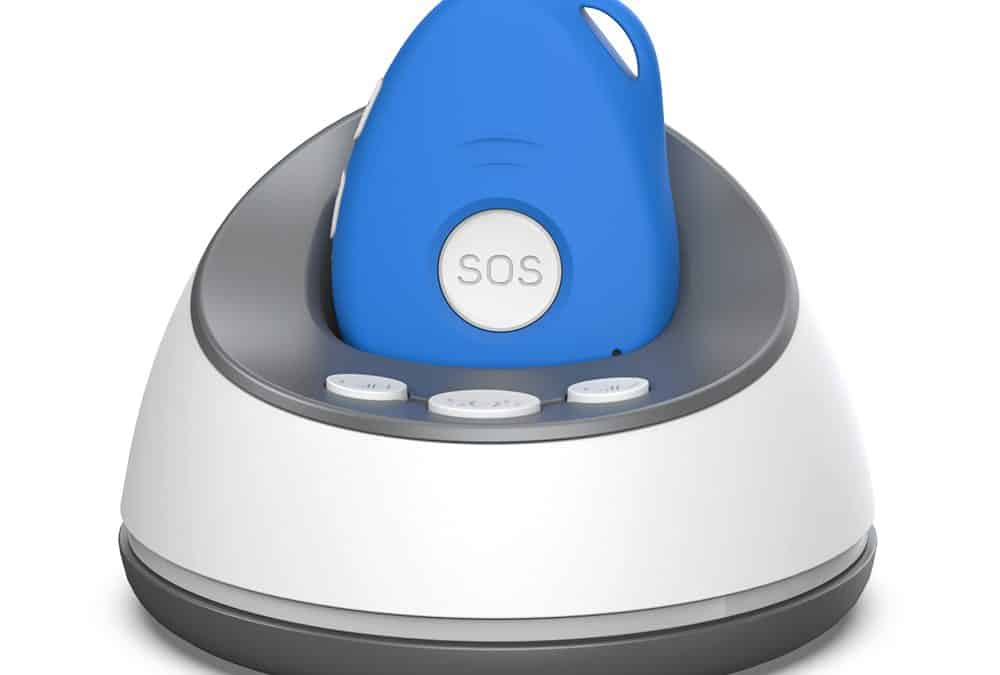
A Modern Medical Alarm Designed for Independence
For many New Zealanders, maintaining independence while staying safe is a priority. Whether you're an older adult living alone, caring for a loved one with dementia, or simply seeking additional peace of mind, a medical alarm can provide reassurance when help is needed.
Familyr is a modern GPS medical alarm designed to alert family members, friends, carers, or trusted contacts directly. Unlike traditional monitored alarms that connect to a call centre, Familyr uses mobile technology, GPS location services, and two-way voice communication to put the people who know you best at the centre of your emergency response plan.
How Familyr Works
When help is needed, the wearer simply presses the SOS button on the Familyr alarm.
The alarm will:
- Announce that an SOS alert has been activated.
- Provide a short cancellation period in case of accidental activation.
- Send emergency text messages to nominated contacts.
- Include location information and a Google Maps link.
- Begin calling emergency contacts one by one in priority order.
- Allow hands-free two-way communication through the device.
The first person to answer can immediately speak with the wearer and assess the situation.
This direct communication often allows family members to quickly determine whether emergency services, neighbours, carers, or other assistance is required.
Family-First Response
Many traditional medical alarms rely on a monitoring centre to receive alerts before contacting family or emergency services.
Familyr takes a different approach.
Emergency alerts are sent directly to the people chosen by the wearer. These may include:
- Family members
- Friends
- Neighbours
- Carers
- Support workers
- Emergency services (if desired)
Up to 10 emergency contacts can be programmed into the device.
This approach can provide a more personal response, particularly for people who already have a reliable support network in place.
GPS Location Tracking
Knowing where someone is can be just as important as knowing they need help.
Familyr uses multiple location technologies to determine the wearer's location:
GPS Location
When outdoors and able to see the sky, Familyr uses GPS technology, typically providing location accuracy of approximately 2.5 metres.
Bluetooth Home Location
Each Familyr alarm includes a Bluetooth charging base programmed with the user's home location.
When the wearer is at home and within range of the base station, the alarm can use this Bluetooth location information to provide highly accurate indoor positioning.
WiFi & GSM Location
If GPS is unavailable, Familyr can also use nearby WiFi networks and mobile network towers to estimate location.
Every location message identifies the type of location information being used, allowing responders to understand the expected level of accuracy.
Requesting a Location
Family members can request the alarm's location at any time by sending a simple SMS command.
The alarm replies with:
- Location information
- Battery level
- Location type (GPS, Bluetooth, WiFi or GSM)
- A Google Maps link
Opening the link displays the location directly on a map.
This feature is particularly useful for:
- Dementia support
- Alzheimer's care
- Vulnerable adults
- People who enjoy independent outings
- Family wellbeing checks
Automatic Fall Detection
Familyr includes automatic fall detection designed to help when a wearer is unable to press the SOS button themselves.
The system is designed to detect more serious falls by analysing:
- Altitude change
- Direction and angle change
- Impact forces
If a potential fall is detected:
- The alarm vibrates.
- A voice warning announces that a fall alert has been activated.
- The wearer has an opportunity to cancel the alert.
- If not cancelled, emergency text messages and calls are initiated automatically.
For best results, Familyr should be worn on the supplied lanyard around the neck.
Fall sensitivity can be adjusted to suit individual requirements.
As with all fall detection technology, no device can guarantee detection of every fall, but Familyr provides an additional layer of protection when assistance may be needed.
Two-Way Voice Communication
Familyr is more than just an emergency button.
The alarm includes a built-in speaker and microphone that allow hands-free conversations.
When an emergency contact answers an alert call, they can speak directly with the wearer through the alarm.
This can be invaluable in situations involving:
- Falls
- Medical concerns
- Confusion
- Anxiety
- Welfare checks
The device can also be used to make non-emergency calls to a nominated contact.
Designed for Home and Away
Unlike older home-bound alarm systems, Familyr is designed to travel with the wearer.
Whether at:
- Home
- The shops
- Visiting family
- Walking
- Travelling
The alarm continues to operate wherever there is compatible mobile network coverage.
This makes it particularly suitable for active seniors who do not want their independence restricted.
Battery Life & Charging
Familyr is designed for everyday use.
Typical battery performance is:
- Approximately 48–72 hours of continuous outdoor use
- Often longer when regularly within range of the Bluetooth home base
Charging is simple and can be done via:
- The supplied charging cradle
- The included magnetic USB charging cable
Low battery warnings are provided both to the wearer and nominated contacts.
No WiFi Required
A common misconception is that GPS alarms require home internet.
Familyr does not require WiFi to operate.
The device communicates using its built-in mobile SIM card, allowing it to:
- Send text messages
- Make calls
- Receive SMS commands
- Share location information
WiFi may assist with location accuracy indoors, but the alarm does not depend on a WiFi connection for normal operation.
SIM Card & Running Costs
Familyr operates much like a mobile phone.
The device contains its own mobile SIM card and uses mobile network services for calls, texts, and location requests.
Usage costs depend on how frequently the device is used.
Typical activities that consume credit include:
- Emergency calls
- Location requests
- SMS commands
- Two-way conversations
For most users, normal day-to-day operation uses relatively little credit.
Supporting People Living with Dementia
Many families choose Familyr to support loved ones living with Alzheimer's disease or dementia.
Features such as:
- GPS location requests
- Bluetooth home location
- Geofence alerts
- Emergency calling
- Family-first notifications
can provide reassurance while helping maintain independence.
Family members can quickly locate the wearer if they become lost, disoriented, or fail to return home as expected.
Regular Testing is Important
Like any safety device, Familyr should be tested regularly.
We recommend:
- Testing the SOS function every 3–6 months
- Checking battery operation
- Confirming emergency contacts remain current
- Verifying location services are functioning correctly
Regular testing ensures the alarm is ready when it is needed most.
Is Familyr Right for You?
Familyr is ideal for people who want:
- A GPS-enabled medical alarm
- Family-first emergency response
- Two-way communication
- Fall detection
- Location tracking
- Independence both at home and away
By combining modern location technology with direct communication to trusted contacts, Familyr provides a practical alternative to traditional monitored alarm systems while keeping family involved when it matters most.